



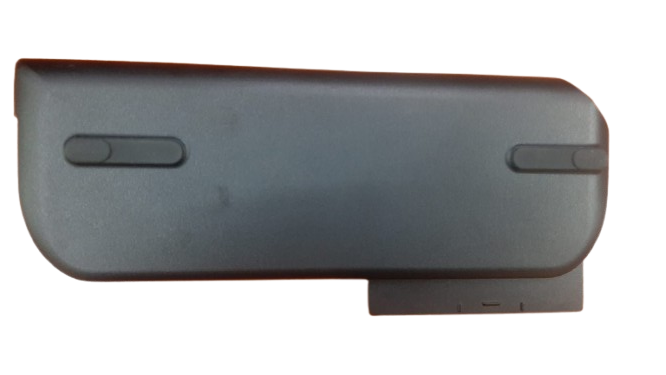
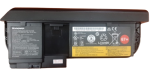

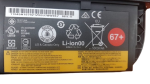
ORIGINAL LENOVO X230 Battery 67+ – Power Your Productivity!
Is your Lenovo X230 struggling to hold a charge? Look no further! Get the ORIGINAL LENOVO X230 Battery 67+ from laptopparts.co.ke and bring your laptop back to life. This genuine ORIGINAL LENOVO X230 Battery 67+ is designed to provide optimal performance and longevity for your Lenovo ThinkPad.
Experience extended battery life with our high-quality ORIGINAL LENOVO X230 Battery 67+. Whether you’re working, studying, or on the go, this ORIGINAL LENOVO X230 Battery 67+ ensures you stay productive without constantly searching for a power outlet. Invest in an ORIGINAL LENOVO X230 Battery 67+ for reliable power.
We understand the importance of quality and affordability. Our ORIGINAL LENOVO X230 Battery 67+ is competitively priced, offering you excellent value. Plus, for your peace of mind, every ORIGINAL LENOVO X230 Battery 67+ comes with a 3-month warranty and free installation services. Get your ORIGINAL LENOVO X230 Battery 67+ today!

ORIGINAL LENOVO X230 Battery 67+

ORIGINAL LENOVO X230 Battery 67+

ORIGINAL LENOVO X230 Battery 67+

ORIGINAL LENOVO X230 Battery 67+
Specifications for ORIGINAL LENOVO X230 Battery 67+ :
| Feature | Details |
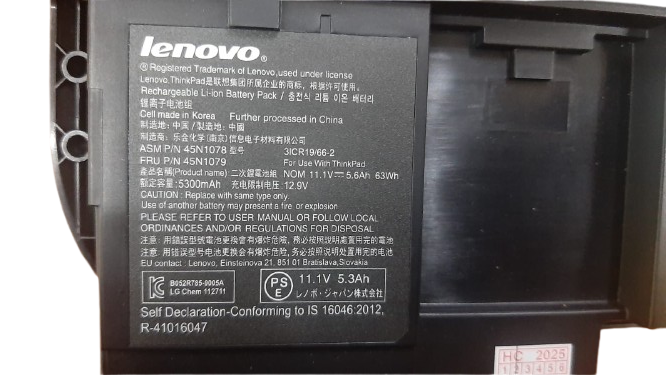
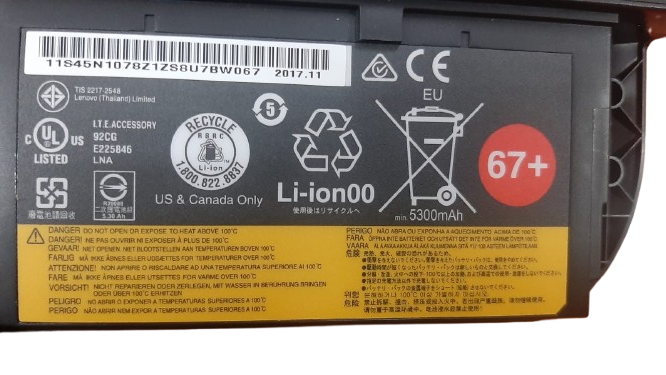
| Battery Type | Lithium-Ion (Li-ion) |
| Voltage | 10.8V / 11.1V |
| Capacity | 63Wh / 66.6 Wh (6-cell) |
| Compatible Laptop Models | Lenovo ThinkPad X220, X220i, X220s, X230, X230i (Note: Specifically for non-tablet versions. Also compatible with X220 Tablet, X220i Tablet, X230 Tablet, X230i Tablet for the 67+ model) |
| Compatible Part Numbers | 0A36306, 0A36316, 0A36317, 45N1019, 45N1022, 45N1023, 45N1025, 45N1074, 45N1075, 45N1076, 45N1077, 45N1078, 45N1079, 45N1177, 42T4880, 42T4881, 42T4882 |
| Warranty | 3 Months |
| Installation | Free Installation |
| Condition | Original, Brand New |
- Avoid Extreme Temperatures: Heat is the enemy of laptop batteries. Try to use and store your laptop in a cool environment. Avoid leaving it in direct sunlight or a hot car.
- Keep Charge Between 20% and 80%: For optimal battery lifespan, avoid completely discharging or fully charging your battery all the time. Aim to keep the charge level between 20% and 80% for daily use.
- Unplug When Fully Charged (if not using smart charging): If your laptop doesn’t have a smart charging feature, unplug it once it reaches 100% to prevent overcharging and reduce stress on the battery.
- Calibrate Your Battery (Occasionally): Every few months, allow your battery to fully discharge and then fully charge. This helps the battery management system accurately report the charge level.
- Reduce Screen Brightness: A brighter screen consumes more power. Lowering your screen brightness can significantly extend battery life.
- Disable Unused Features: Turn off Wi-Fi, Bluetooth, and other features when not in use to save power.
- Close Unnecessary Programs: Applications running in the background consume power. Close any programs you’re not actively using.
Factors to Consider While Purchasing a Laptop Battery:
- Compatibility: This is the most crucial factor. Ensure the battery’s model number and part number match your laptop’s requirements. Using an incompatible battery can damage your laptop.
- Battery Type (Li-ion vs. NiCd): Most modern laptops use Lithium-Ion (Li-ion) batteries due to their higher energy density, lighter weight, and no “memory effect.”
- Capacity (mAh or Wh): Higher Milliampere-hour (mAh) or Watt-hour (Wh) ratings mean longer battery life. Consider your usage habits when choosing capacity.
- Voltage: The voltage of the new battery should be very close to your original battery’s voltage. A small difference (e.g., 10.8V vs. 11.1V) is usually acceptable, but large discrepancies are not.
- Number of Cells: More cells generally mean higher capacity and longer runtime, but also slightly more weight and cost.
- Warranty: A good warranty indicates the seller’s confidence in the product’s quality. Our 3-month warranty provides assurance.
- Brand and Authenticity: Always opt for original or high-quality OEM (Original Equipment Manufacturer) equivalent batteries to ensure safety, performance, and compatibility. Beware of very cheap, generic batteries that might have inflated capacity ratings or pose safety risks.
- Price: While affordability is important, extremely low prices might indicate a counterfeit or low-quality product. Balance cost with reliability and warranty.
- Seller Reputation: Purchase from a reputable seller like laptopparts.co.ke to ensure you receive a genuine and reliable product with good customer support.