


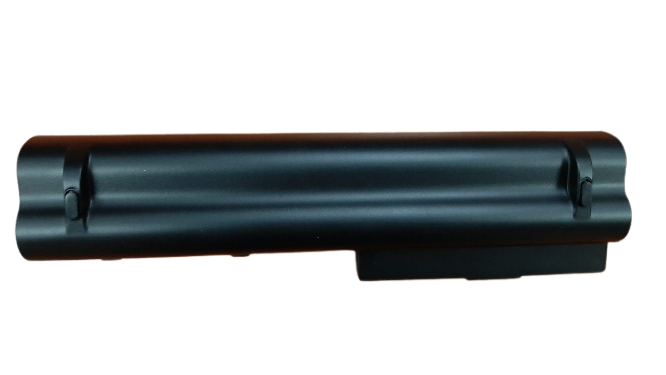
Lenovo IdeaPad S10-3 Replacement Battery – Reliable Power for Your Netbook
Need a new battery for your Lenovo netbook? The Lenovo IdeaPad S10-3 Replacement Battery is the best solution for restoring your laptop’s original performance. Whether your current battery drains quickly or doesn’t charge at all, this brand-new replacement will get you back on track.
The Lenovo IdeaPad S10-3 Replacement Battery is designed to give you consistent, safe, and long-lasting power. It is built using high-quality lithium-ion cells and meets all safety and performance standards. Enjoy fast charging, extended use time, and peace of mind with this reliable battery.
We offer free installation, so you don’t have to worry about fitting it yourself. Plus, you get a 3-month warranty—your satisfaction and safety are our top priority.

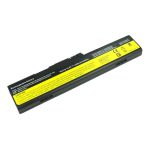
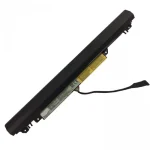
Lenovo IdeaPad S10-3 Replacement Battery

Lenovo IdeaPad S10-3 Replacement Battery

Lenovo IdeaPad S10-3 Replacement Battery
Key Features of Lenovo IdeaPad S10-3 Replacement Battery
-
Perfect Fit: Specially made for Lenovo IdeaPad S10-3, S10-3C, and S10-3t
-
Affordable: Get top performance without overspending
-
Free Installation: Our team installs it for you at no extra cost
-
Reliable Performance: Keeps your device running longer
-
3-Month Warranty: We stand behind the quality of our products
-
Safe & Durable: Built with protection against overcharge, heat, and short circuits
Technical Specifications
| Feature | Details |
|---|---|
| Product Name | Lenovo IdeaPad S10-3 Replacement Battery |
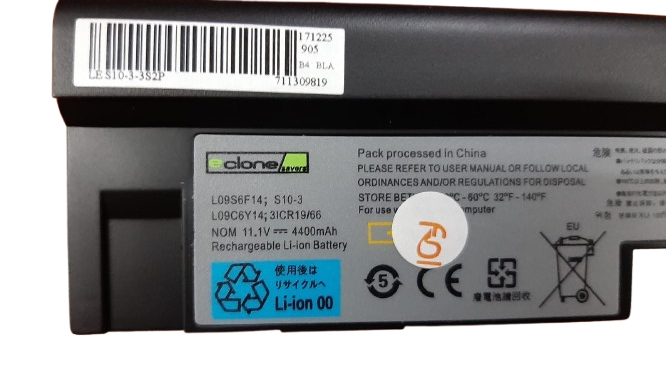
| Part Numbers | L09S6Y14, L09C6Y14, 3ICR19/66 |
| Battery Type | Li-ion (Lithium-Ion) |
| Voltage | 11.1V |
| Capacity | 4400mAh |
| Cells | 6-cell |
| Condition | Brand New |
| Warranty | 3 Months |
| Installation | Free |
| Charging Time | 2–3 hours |
| Runtime | 2 to 4 hours (depending on usage) |
| Compatible Models | Lenovo IdeaPad S10-3, S10-3C, S10-3t |
| Brand | eClone / Lenovo-compatible |
| Country of Origin | Pack processed in China |
Why Buy the Lenovo IdeaPad S10-3 Replacement Battery From LaptopParts.co.ke?
At LaptopParts.co.ke, we sell only tested and verified batteries. Our Lenovo IdeaPad S10-3 Replacement Battery is affordable, safe, and backed by a 3-month warranty. We even offer free installation, so you don’t have to worry about fitting it yourself.
Whether you’re a student, freelancer, or office user, this battery gives you dependable power every day. It’s an ideal replacement for worn-out batteries and a smart way to extend your laptop’s life.
-
Avoid Extreme Heat: Don’t expose your laptop or battery to heat sources.
-
Charge Smartly: Unplug the charger once the battery is full.
-
Use Regularly: Avoid storing the battery without use for long periods.
-
Avoid Full Discharge: Try not to let the battery go all the way to 0%.
-
Buy the Right Fit: Always confirm the part number and model compatibility.